AI JSON Formatter & Editor
Edit 10,000-line JSON configs in plain English. Review every change as a side-by-side diff. Never ship broken JSON.
Unlike a chatbot, every AI edit is validated and shown as a reviewable diff — accept only the changes you want, then download valid JSON.
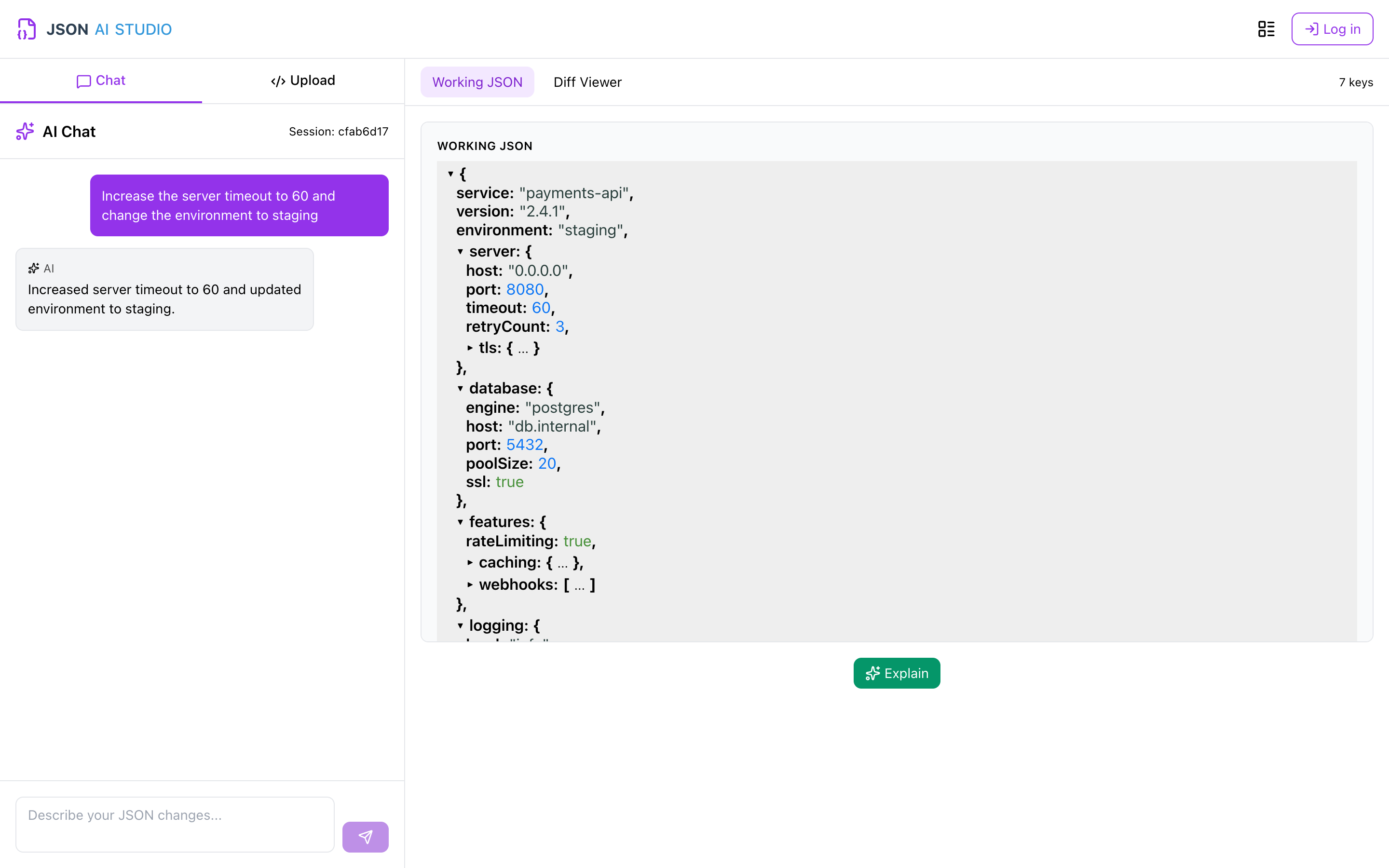
More than an AI JSON Formatter
JSON AI Studio isn't just another formatter.
It's a complete AI-powered workspace built specifically for developers working with JSON every day.
Review Every Change
Every AI modification is shown as a visual side-by-side diff. Accept only the changes you want.
Edit JSON with AI
Describe changes in plain English. The AI modifies your JSON while preserving formatting and validity. No manual editing.
Explain JSON
Instantly understand complex API responses, deeply nested JSON and unfamiliar structures. Instead of reading thousands of lines manually, ask AI questions about your JSON.
Always Valid JSON
Automatically validate syntax after every AI edit. Never download broken JSON.
Work with Large JSON Files
Open and work with large API payloads and configuration files that are difficult to edit manually.
Workspaces & Versions
Organize JSON into named workspaces, save tagged documents and keep a full version history — auto-saved and ready to resume when you log in.
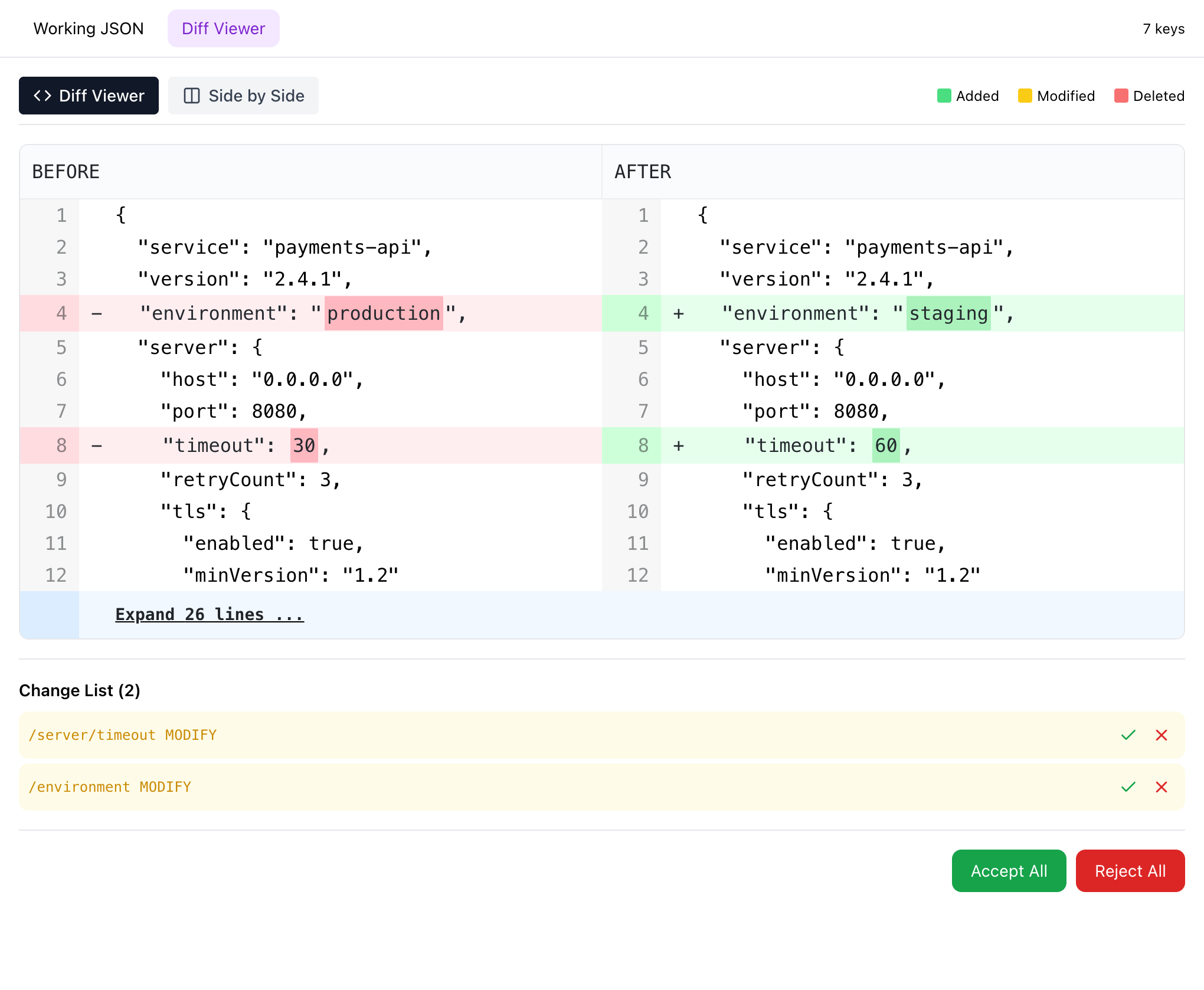
Review every change as a JSON diff
Every AI edit is a visual, side-by-side JSON diff. Compare before and after, then accept only the changes you want — nothing is applied behind your back.
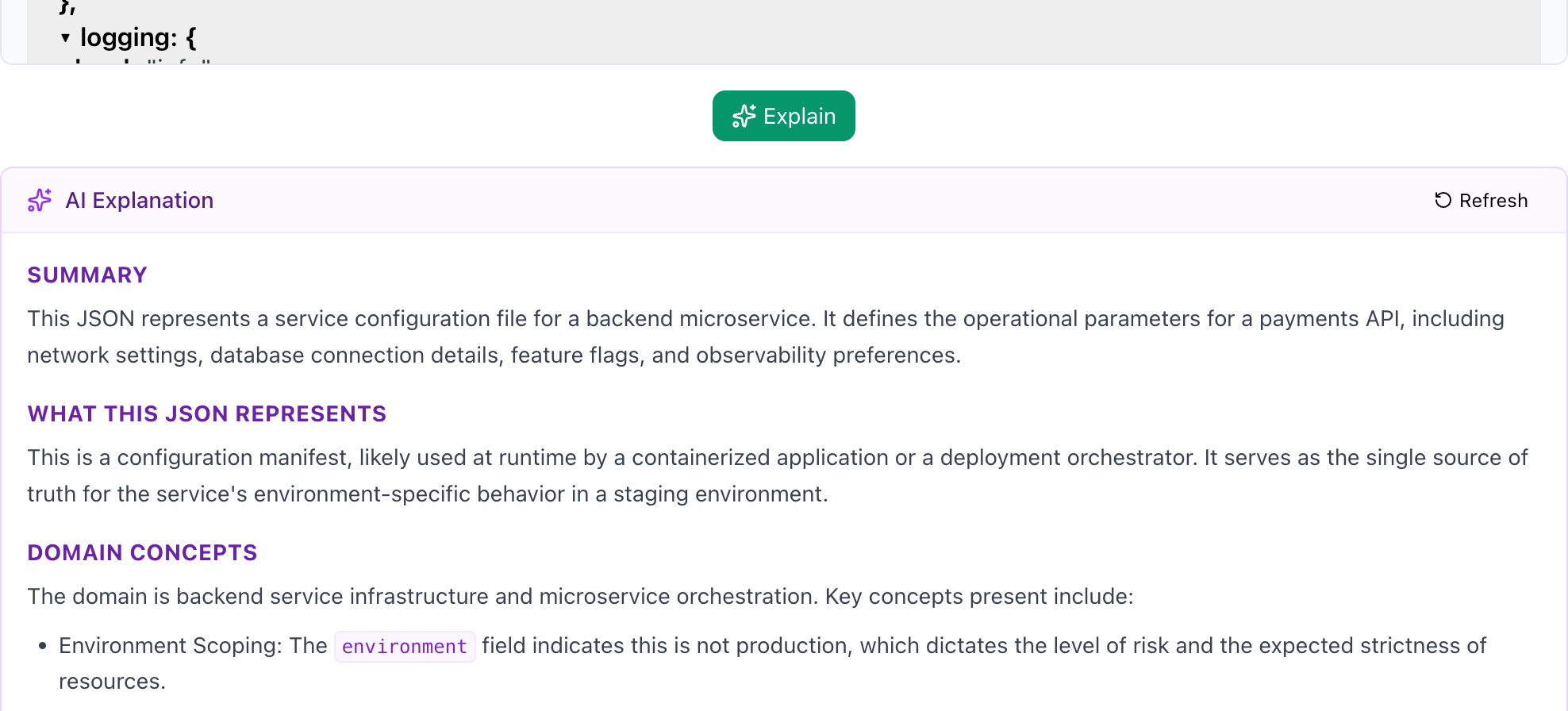
Explain any JSON in seconds
Point the AI JSON viewer at a deeply nested payload and get a plain-English explanation of the structure, fields and intent — no more scrolling through thousands of lines.
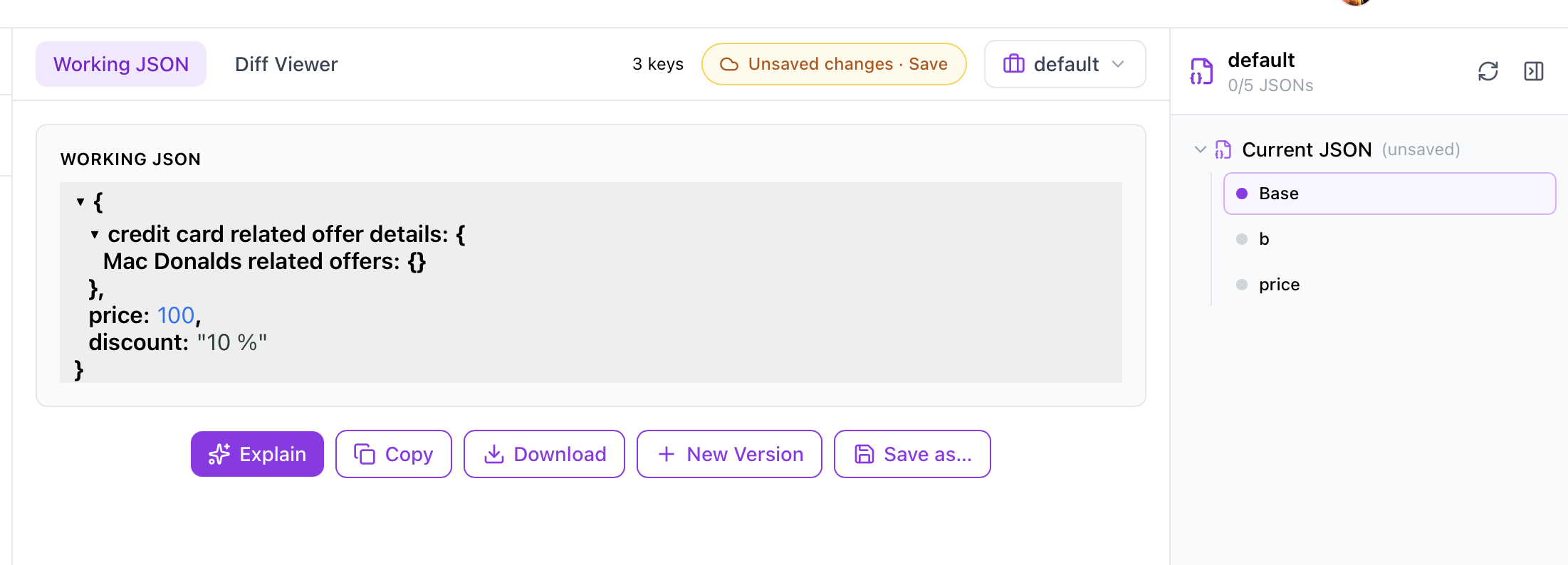
Organize everything in Workspaces
Save your JSON into named workspaces as tagged documents, each with its own version history. Log in and your work auto-saves — switch between documents and pick up exactly where you left off.
How it Works
From raw JSON to valid, reviewed output in five steps.
- 1
Upload JSON
Drop in a file or paste raw JSON.
- 2
AI explains the structure
Understand what you are looking at instantly.
- 3
Ask AI to modify it
Describe the change in plain English.
- 4
Review side-by-side diff
Accept only the changes you want.
- 5
Download valid JSON
Export syntax-checked, valid JSON.
Why JSON AI Studio
How it compares to traditional JSON editors and general AI chatbots.
| JSON AI Studio | Traditional JSON Editors | General AI Chatbots | |
|---|---|---|---|
| Purpose-built for JSON | |||
| Keeps JSON Valid | |||
| Natural Language Editing | |||
| Side-by-side Diffs | |||
| Version History | |||
| Saved Workspaces | |||
| JSON Explanations | |||
| Large File Support | |||
| Visual Editing | |||
| Open Source |
Popular Use Cases
What developers use the AI JSON editor and validator for every day.
Built in the Open. Built for Developers.
JSON AI Studio is fully open source.
Developers can inspect the code, contribute features, report issues and help shape the future of the project.
Frequently Asked Questions
Everything you need to know about the AI JSON workspace.
What is JSON AI Studio?
JSON AI Studio is a free, AI-powered workspace for JSON. Upload or paste JSON, describe changes in plain English, review every edit as a side-by-side diff, and download valid JSON — plus AI explanations and full version history.
Is JSON AI Studio free?
Yes. The core JSON formatter, editor, explainer, validator and diff tools are free to use, with no signup required.
Do I need to sign up or log in?
No. You can use JSON AI Studio anonymously without an account. Logging in is optional and only adds per-user history and quota.
Can I save and organize my JSON in workspaces?
Yes. Log in to save your JSON into named workspaces as tagged documents, each keeping a full version history. Your work auto-saves, so you can switch between documents and resume anytime. Anonymous use stays local to your browser.
What can the AI do with my JSON?
The AI can explain unfamiliar or deeply nested JSON, edit it from natural-language instructions while keeping it valid, and produce a reviewable diff of every change.
Does it keep my JSON valid?
Yes. JSON AI Studio validates syntax after every AI edit, so you never download broken JSON.
Is JSON AI Studio open source?
Yes. The full source code is available on GitHub at github.com/rohity60/json-ai-studio.
Can it handle large JSON files?
Yes. It is built to open and work with large API payloads and configuration files that are hard to edit manually.
The smartest place to work with JSON
Format, explain, edit and validate JSON with AI — free, no signup required.